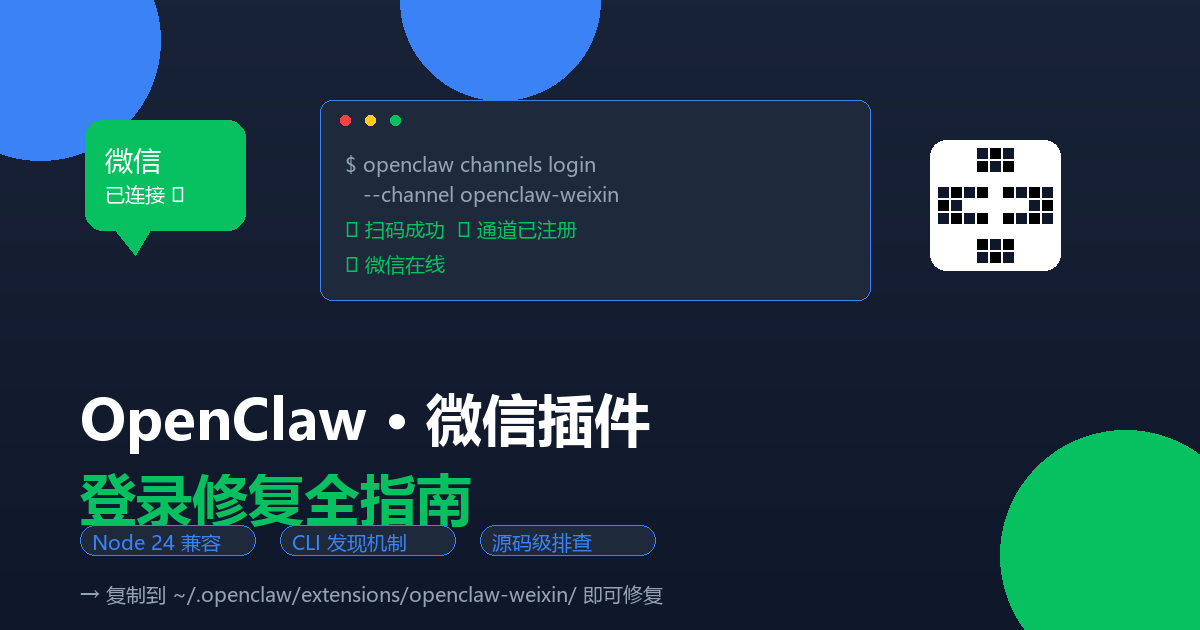


OpenClaw 微信插件登录失败修复指南
适用场景
- OpenClaw 2026.5.4(或其他 2026.x 版本)
- Node.js 24.x
- 微信插件
@tencent-weixin/openclaw-weixin2.4.x - 症状:
openclaw channels login --channel openclaw-weixin报错Unsupported channel: openclaw-weixin
问题分析
症状 1:Unsupported channel: openclaw-weixin
根本原因: CLI 的插件发现机制(discoverOpenClawPlugins())只扫描以下目录寻找插件:
| 扫描源 | 实际路径 | 说明 |
|---|---|---|
stock |
openclaw/dist/extensions/ |
内置捆绑插件 |
global |
~/.openclaw/extensions/ |
用户扩展目录 |
workspace |
workspace/.openclaw/extensions/ |
工作区扩展 |
而 openclaw plugins install 把插件安装到:
~/.openclaw/npm/node_modules/@tencent-weixin/openclaw-weixin/这个路径不在扫描范围内。 Gateway 能用另一条路径(读 installs.json)加载,但 CLI 的通道登录命令不使用这条路径。
症状 2:插件加载后 fetch failed / TypeError
Node 24 的 fetch 实现不再需要手动设置 Content-Length 头,插件旧代码手写的方式会产生冲突。此外 monitor.js 中 waitForWeixinRuntime() 死等超时的机制在 Node 24 下有问题。
修复步骤
第 1 步:确认插件已安装并启用
openclaw plugins list | grep weixin应显示 @tencent-weixin/openclaw-weixin 为 enabled 状态。
如果未安装:
openclaw plugins install "@tencent-weixin/openclaw-weixin"如果未启用:
openclaw config set plugins.entries.openclaw-weixin.enabled true第 2 步:将插件复制到 CLI 可发现的目录
CLI 的扫描器不会递归进入 scoped 子目录(如 @tencent-weixin/),必须放在平铺目录下:
# 创建平铺目录
mkdir -p ~/.openclaw/extensions/openclaw-weixin

# 复制插件文件
cp -r ~/.openclaw/npm/node_modules/@tencent-weixin/openclaw-weixin/* \
      ~/.openclaw/extensions/openclaw-weixin/
⚠️ 不要在
@tencent-weixin/子目录下创建!discoverInDirectory()在global源的扫描中recurseDirectories: false,scoped 目录不会被递归扫描。
第 3 步:打 Node 24 兼容补丁
补丁需要修改 dist/ 目录下的 3 个编译后 JS 文件。
补丁 A – api.js:删除 Content-Length 头
文件:~/.openclaw/extensions/openclaw-weixin/dist/src/api/api.js
找到 buildHeaders 函数中的这一行并删除:
"Content-Length": String(Buffer.byteLength(opts.body, "utf-8")),Node 24 原生 fetch 会自动计算 Content-Length,手写反而与实现冲突。
补丁 B – channel.js:传递 channelRuntime
文件:~/.openclaw/extensions/openclaw-weixin/dist/src/channel.js
找到 monitorWeixinProvider({ ... }) 调用,在 setStatus: ctx.setStatus, 后面加一行:
channelRuntime: ctx.channelRuntime,补丁 C – monitor.js:三段降级代替死等
文件:`~/.openclaw/extensions/openclaw-weixin/dist/src/monitor/monitor.js
-
把
import { waitForWeixinRuntime } from "../runtime.js"改为:import { resolveWeixinChannelRuntime } from "../runtime.js"; -
把:
let channelRuntime;
try {
   const pluginRuntime = await waitForWeixinRuntime();
   channelRuntime = pluginRuntime.channel;
   aLog.info(`Weixin runtime acquired, channelRuntime type: ${typeof channelRuntime}`);
}
catch (err) {
   aLog.error(`waitForWeixinRuntime() failed: ${String(err)}`);
   throw err;
}
替换为:
let channelRuntime;
try {
   channelRuntime = await resolveWeixinChannelRuntime({
       channelRuntime: opts.channelRuntime,
       waitTimeoutMs: 3000,
   });
   aLog.info(`Weixin runtime acquired, channelRuntime type: ${typeof channelRuntime}`);
}
catch (err) {
   aLog.error(`resolveWeixinChannelRuntime() failed: ${String(err)}`);
   throw err;
}
注意:插件自己的
runtime.js已经有一个resolveWeixinChannelRuntime()函数实现了三段降级逻辑(①channelRuntimefrom Gateway → ②getWeixinRuntime()全局 → ③waitForWeixinRuntime(3000ms)兜底),但monitor.js之前没有使用它。
第 4 步:刷新插件注册表
openclaw plugins registry --refresh第 5 步:扫码登录
openclaw channels login --channel openclaw-weixin终端会显示二维码,用微信扫描并确认。
确认登录成功
登录成功后,channels 列表应能看到微信账号:
openclaw channels list可再次运行以下命令确认 gateway 状态中微信通道已就绪:
openclaw status --deep常规登录操作
以后正常使用不需要再走修复步骤。常规登录只需:
openclaw gateway restart       # 确保 gateway 运行
# 等 1 分钟让插件完全加载
openclaw channels login --channel openclaw-weixin   # 扫码
⚠️ 注意事项
-
官方更新会覆盖补丁: 如果以后运行
openclaw plugins update @tencent-weixin/openclaw-weixin,第 2、3 步的修改会被覆盖,需要重新打补丁 -
extensions/副本是独立的: npm 版本的更新不会自动同步到extensions/下的副本,补丁需要打在副本上 -
plugins.allow需要谨慎: 设置plugins.allow会阻塞所有未列出的内置插件(包括 browser、device-pair 等),导致 gateway 启动后加载 0 个插件。如果要用,必须列出所有需要的插件:"plugins": { "allow": ["openclaw-weixin", "browser", "device-pair", "file-transfer", "memory-core", "phone-control", "talk-voice"] }
技术背景(供深入排查用)
discoverOpenClawPlugins()源码位置:openclaw/dist/discovery-B9FIOZR8.js- 通道插件解析链路:
resolveInstallableChannelPlugin()→listChannelPluginCatalogEntries()→discoverOpenClawPlugins() - Gateway 加载插件的路径:读
installs.json→collectInstalledPluginRecordPaths(),CLI 的通道登录不传installRecords参数 discoverInDirectory()在global源扫描时recurseDirectories: false,不会递归进入 scoped 目录








暂无评论内容